
Every scan checked. Every decision yours.
Patients scan at home with their phone at every tray change. AI compares all six views against the approved plan, tooth by tooth, and a clinician confirms every go or hold. Patients come in when something needs a chair — not by default.
How a home scan is reviewed
- Six views, captured at homeFront, left, right, upper, lower and bite, framed and checked for blur by the app.
- Compared with the approved stageAI measures per-tooth deviation, tracking, seating and drift, and suggests go or hold.
- A clinician decidesA registered clinician confirms or overrides the suggestion. Who decided, and when, is recorded.
- The patient is toldA plain answer in the app: stay on this tray, or move to the next.
How a scan becomes a decision
The app captures six views
AI frames and fires each shot for the patient — front, left, right, upper, lower, bite. Blurry or missing views are caught before upload, and uploads resume by themselves on a bad connection.
AI measures, tooth by tooth
Each scan is compared against the orthodontist-approved plan for that stage: per-tooth deviation in millimetres, tracking percentage, seating, drift and refinement risk. The evidence is shown, not just a verdict.
A clinician decides
AI suggests go or hold; a registered clinician confirms it — always. The patient gets a plain answer in the app: stay on this tray, or move to the next. Off-track cases surface as alerts the same day.
What every scan is checked for
Six measurements, each shown against the approved plan for that stage, so the clinician sees why the AI suggested what it did.
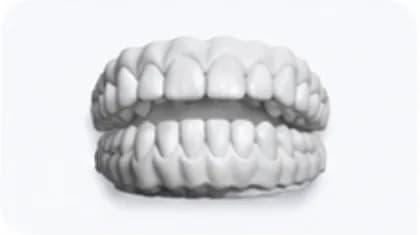
- Tracking percentageHow closely the whole arch matches the planned stage, as one number
- Per-tooth deviationMillimetres off plan for each of 28 teeth, in FDI notation
- Aligner seatingSpace between tray and tooth that means the aligner isn't fully seated
- Incisal edge gapsGaps at the incisal edges that show a tooth lagging behind the plan
- Drift over timeWhether a small deviation is growing from one scan to the next
- Refinement riskAn early signal that the case may need a mid-course correction
Evidence first. A clinician signs off.
AI produces the measurements and a suggested verdict. It never records a clinical decision — a registered clinician confirms every go or hold before the patient hears it.
Six views, checked for blur and coverage before they leave the phone.
Deviation per tooth, tracking, seating — and a verdict labelled as a suggestion.
Go or hold, confirmed by a registered clinician. Who decided, and when, is recorded.
A plain answer in the app the same day: move to the next tray, or stay on this one.
Suggested verdicts are never shown to patients. Read how we handle clinical data on the security and data protection pages.
What your practice gets back
Fewer routine check-ups
Well-tracking patients advance from home. Your chairs go to new patients and to the cases that genuinely need attention.
Problems caught weeks earlier
Tracking loss shows up at the scan where it starts, not at the next appointment. Earlier catches mean fewer refinements and shorter treatments.
An audit trail on every case
Every scan, verdict, deviation and clinician decision is recorded with who decided and when — evidence-grade records without extra admin.
Questions clinics ask
How often do patients scan?
At every tray change by default — usually every 7 to 14 days, set per case by the treating clinician. Reminders go out from the app, and a missed scan shows up in your monitoring queue rather than going unnoticed.
What if a scan is blurry or a view is missing?
The app catches it before upload. AI frames each shot and asks for a retake on the spot, and uploads resume automatically on a poor connection — so a half-finished scan never reaches your queue.
Does the AI decide whether a patient advances?
No. It measures, shows the evidence and suggests a verdict. A registered clinician confirms every go or hold, and that decision — not the suggestion — is what the patient sees and what goes on the record.
What happens on a hold?
The patient is told to stay on the current tray, with the reason in plain language and a date to re-scan. Repeated holds escalate to an in-person appointment. The whole sequence sits on the case record.
Which phones does it work on?
Any recent iPhone or Android phone with a standard camera. No extra hardware is required — the guided capture does the framing. An optional Alyner ScanBox helps patients hold the phone steady. See the patient app for what scanning at home looks like.

The patient app →
What scanning at home actually feels like: guided capture, clear answers, reminders that respect people.
Before treatmentAlyner Sim →
Where cases start: a chairside before-and-after that helps patients say yes.
ResultsSmile gallery →
Where monitored cases end up: finished results, published with the patient’s consent.
See monitoring on a live case
In a demo, a home scan arrives, AI checks it, and you make the call.